Author: Tech help

ACTIVITY FROM DEVICE OF UNKNOWN TYPE

ACTIVITY FROM DEVICE OF UNKNOWN TYPE

If you find an unknown device automatically login into your Gmail account in your ‘manage your Gmail account’ ‘security section. You don’t log in to this device in your Gmail account. But Google shows you ‘Activity from the device of unknown type’ login your Gmail account.
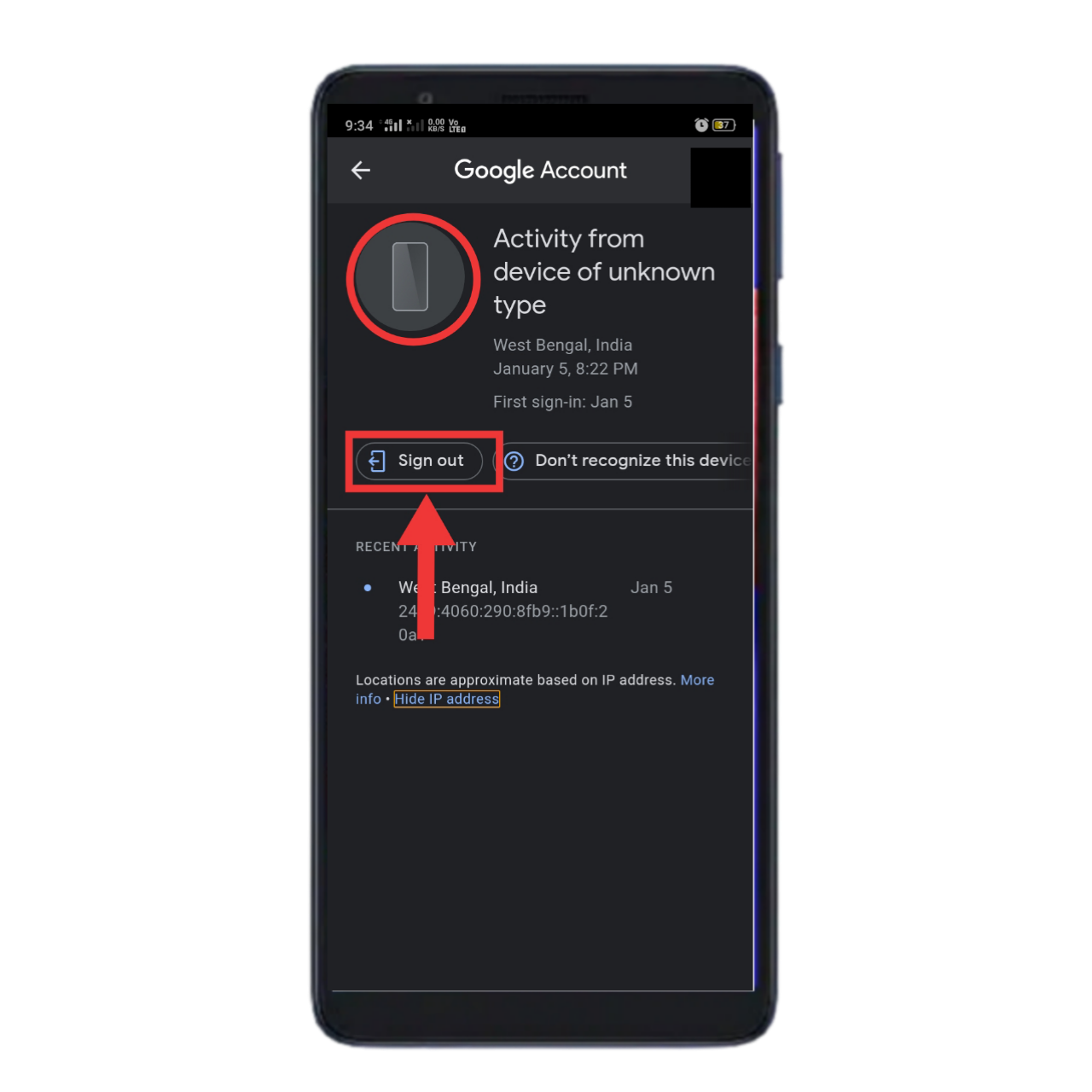
Activity from device of unknown type issue in Gmail

In that case what you do

FIRST STEP

When you see an unknown device is a login automatically into your Gmail account. At first, you signed out of this device in your Gmail account.

SECOND STEP

If you think your Gmail account is unsecured. Someone knows your email address and password. So never spend time change your Gmail account password. And make a strong and long password.

THIRD STEP

If your Gmail account is so important to you so you can add a recovery mail address and recovery phone number. It helps you to recover your hacked Gmail account.

FOURTH STEP

If your Gmail account is a business account or if you so careful about your Gmail account so activate Two-Step Verification in your Gmail account. It’s is a very important security operation of every social platform. If anybody will know your email address and password but he cannot access your Gmail account without your permission.

I think now this time already many questions appear in your mind like I do not share my Gmail account address and password but why Google shows my Gmail account is login to an unknown device? And I already enable two-factor authentication/two-step verification in my Gmail account but why Google shows my device is login an unknown device? Etc…

I think ACTIVITY FROM DEVICE OF UNKNOWN TYPE this is a Google location service issue. When Google cannot identify your device then Google Shows you your Gmail account is login into another device. Google Al systems thought your device that an unknown device.

So don’t worry,

When you see your Gmail account is automatically login into an unknown device. This is an error. Google location service error.

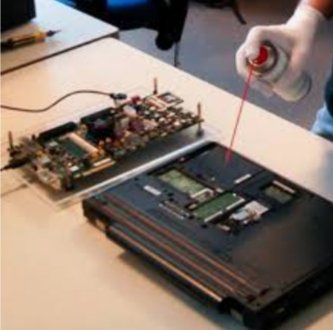
Cool Booting Attack.

Cool Booting Attack.

Cool Boot Attack is an amazing smart Hacking attack process.

Cool Boot Attack

How Cool Boot Hacking Attack works.

We know that when a computer is shut down then it’s all unsaved and user recently use data is removed from the RAM (Random Access Memory ). But if you know when any computer or laptop is shut down then RAM not removes its unsaved data or user data so quickly. When Power Supply is off in the RAM, RAM removes its data slowly using some minutes. Now Hackers use this thing to do his or her hacking.

Cool Boot Attack
Cool Boot Attack using liquid nitrogen

When a user left and shut down him using a laptop or computer by opening important documents using some time, then Hackers come and open this user’s CPU box and Freezing his RAM using liquid nitrogen(-196°C). Then the data removing process of RAM is so slow now hackers using this trick. Hackers Stolen this RAM and attached it to another computer to read users all important data like bank details, net banking, private data. Then the user has fallen big financial damage or privacy problem.

How I save to me from this Cool Boot Attack.

  1. When you shut down your computer or laptop wait for some time to remove your data from the RAM.
  2. Keep your computer or laptop in a safe place.
  3. Hackers only can read your open Application or Document. So when you shut down your computer, please close you’ve recently used application or Document neither you face a big financial loss or privacy issues.

This is some steps to save yourself from the Black Head Hackers.

Government, Police, and cybersecurity department also use this Cool Boot Attack Process to collect any information from Hackers or illegal issues.

Cyber Security department gots much information for using tricks. But also remember Hackers know this trick to do hacking.

So be careful about this

Warning:- This blog is education purpose so don’t use this for your practical life.

About Us

About Us

Hi, My name is Samit Kumar Desmukh and I create this site for educational purposes.

About Me

My name is SAMIT KUMAR DESMUKH. I was born on 29th June 2000 in Kolkata in India. I am an Indian also a YouTuber and blogger.
My YouTube channel name  Technical Elder via. I completed my study in India. My hobby is coding and programming and art also.