
If you find an unknown device automatically login into your Gmail account in your ‘manage your Gmail account’ ‘security section. You don’t log in to this device in your Gmail account. But Google shows you ‘Activity from the device of unknown type’ login your Gmail account.
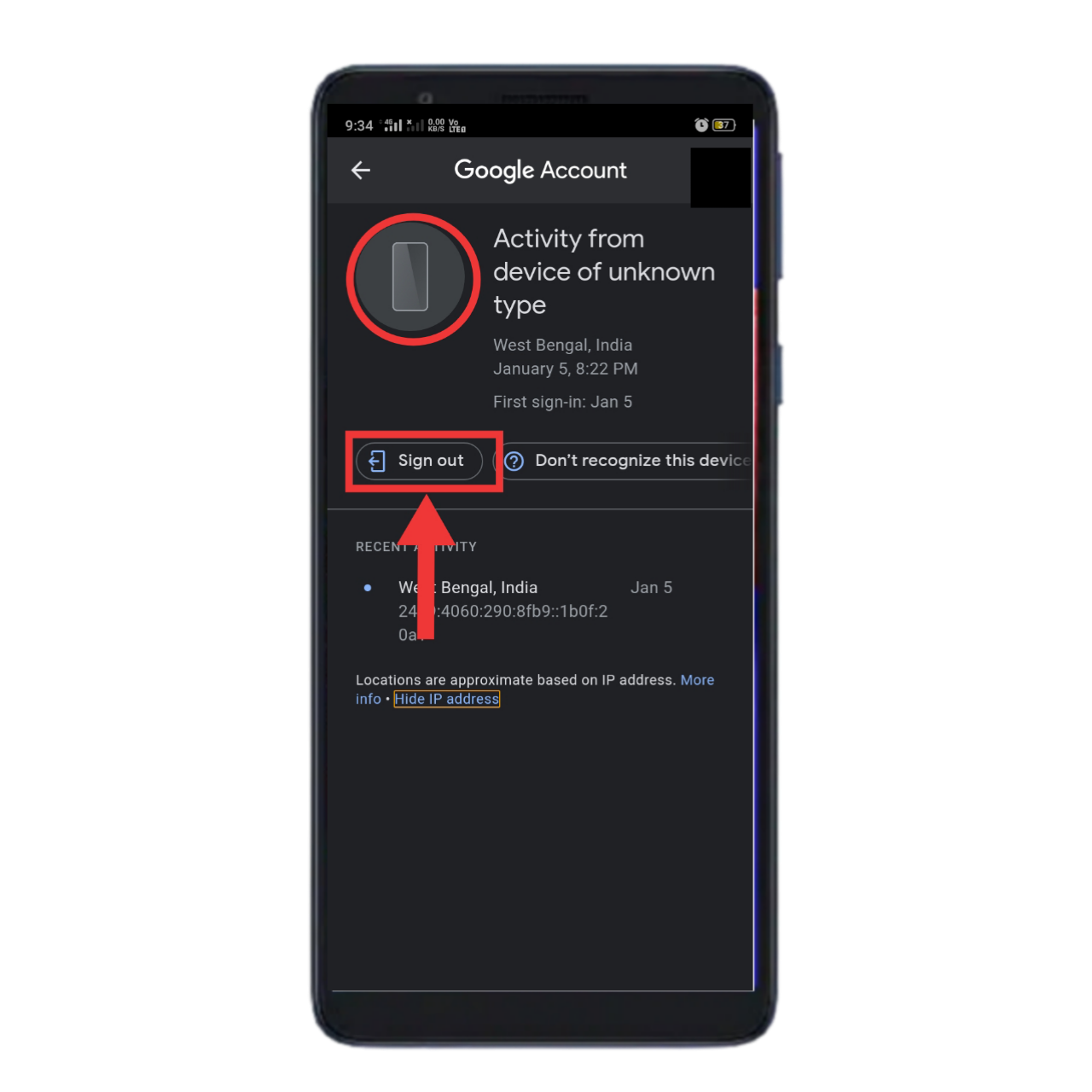
In that case what you do
FIRST STEP
When you see an unknown device is a login automatically into your Gmail account. At first, you signed out of this device in your Gmail account.
SECOND STEP
If you think your Gmail account is unsecured. Someone knows your email address and password. So never spend time change your Gmail account password. And make a strong and long password.
THIRD STEP
If your Gmail account is so important to you so you can add a recovery mail address and recovery phone number. It helps you to recover your hacked Gmail account.
FOURTH STEP
If your Gmail account is a business account or if you so careful about your Gmail account so activate Two-Step Verification in your Gmail account. It’s is a very important security operation of every social platform. If anybody will know your email address and password but he cannot access your Gmail account without your permission.
I think now this time already many questions appear in your mind like I do not share my Gmail account address and password but why Google shows my Gmail account is login to an unknown device? And I already enable two-factor authentication/two-step verification in my Gmail account but why Google shows my device is login an unknown device? Etc…
I think ACTIVITY FROM DEVICE OF UNKNOWN TYPE this is a Google location service issue. When Google cannot identify your device then Google Shows you your Gmail account is login into another device. Google Al systems thought your device that an unknown device.
So don’t worry,
When you see your Gmail account is automatically login into an unknown device. This is an error. Google location service error.
 My Tech Help